Fabrication article
A Faster Way for Current Ahner Customers to Quote and Order Laser-Cut Parts Online
See how current Ahner customers can use online quoting for supported laser-cut and formed sheet metal jobs while retaining shop-backed review.
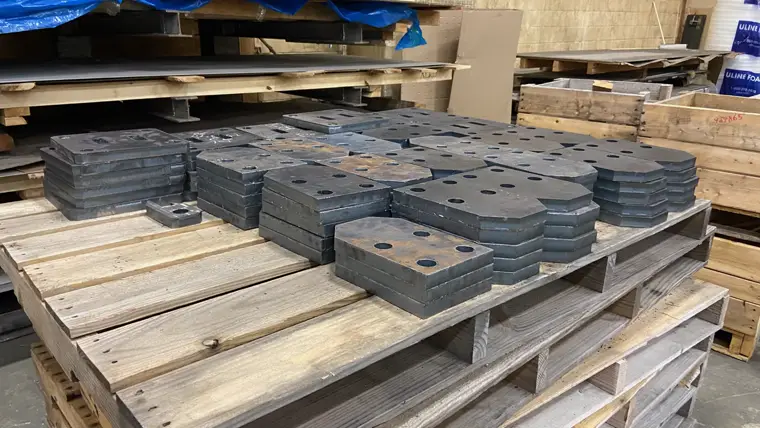
Online quoting is now a faster front door for many current Ahner laser-cut and formed sheet-metal jobs, backed by the same Sandusky, Ohio shop that cuts, forms, reviews, and ships the work.
Ahner Industrial's online pricing portal is ready for more of our current customer work.
We originally used the online quoting site mostly for new customers and smaller laser-cut orders. After testing it against real customer workflows, we have tightened the transition points that matter for existing Ahner customers: company accounts, PO-friendly checkout, order history, and review paths for jobs that still need a human look.
What you can do online
Current customers can now use the portal to start many laser-cut part quotes without waiting on email back-and-forth. Upload a DXF or STEP file, choose material, thickness, quantity, and available finishing options, then review pricing when the job fits the online quoting rules.
For eligible parts, the site gives you a faster way to price repeat work, small batches, prototypes, and straightforward production runs. You can use it when you already know what you need and want to move from file to quote to PO more quickly.
Best fit for:
Repeat laser-cut blanks
Brackets, panels, plates, and straightforward sheet-metal parts
Prototype and short-run work
Production quantities that fit the portal's automated quoting rules
Built for existing customer accounts and POs
If your company already buys from Ahner, create a portal account using your work email and the company name you normally use with us. That helps us connect new online activity with the right customer record.
The checkout flow is designed around how our existing customers actually order. You can enter a PO number, submit PO information, and keep a record of online quotes and orders in your account. New online orders and PO acknowledgements are visible right away.
Some company-wide account records may require Ahner approval before the full account connection is shown in the portal. That protects customer data while still letting you use the site for new quote and order activity.
When the portal will send a job for review
Not every fabrication job belongs in an instant online price. If a part has special requirements, falls outside the automated rules, or needs additional review, the portal can still help by collecting the file and order details clearly. Our team can then review it with the right context instead of starting from a blank email thread.
That means the online portal is not replacing the people you already work with at Ahner. It is another front door for the kinds of jobs that benefit from faster file upload, pricing, and PO submission.
A few tips for a smooth first quote
Company name: Use the same company name you normally use on Ahner orders.
Clean CAD files: Upload clean DXF or STEP files when possible.
PO reference: Include the PO number or purchasing reference your team wants attached to the order.
Send for review: If something looks unusual, send it through anyway or contact us. We can review the job and help route it correctly.
Start your next quote
If the part needs review, the portal still captures the file and order details so the Ahner team can route it quickly.
Start an Online Laser Quote
If you already have active work with Ahner and are unsure whether the portal is the right path for a specific job, reach out to our team. We will help you choose the fastest route.